Set up your workspace and invite your team.
4 ARTICLES ›For B2B SaaS support teams
Stop answering the same customer questions every week.
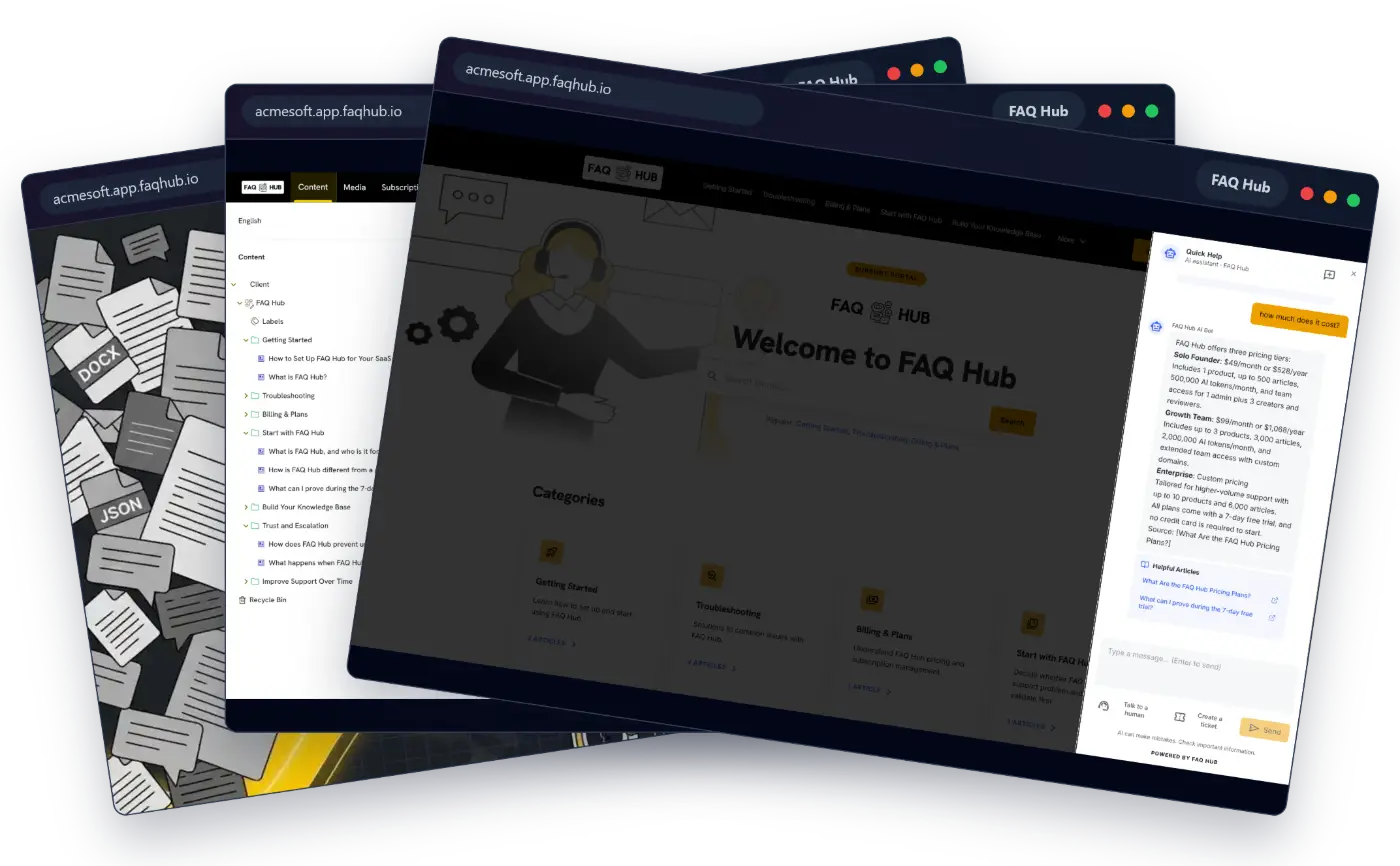
Paste your website URL. FAQ Hub builds a help centre and an in-app AI assistant from what you have already written. Answers come only from your content. When the assistant doesn't know, it says so and hands the question to your team.
New here? Your trial starts with account creation. Already have an account? Sign in instead.
Not ready to try it? Find the gaps in your help content →- 7-day free trial
- No credit card
- Imports your website, PDFs and Word files
Help users without leaving your app.OrbitFlow AI is a made-up example product. Its search, AI chat and help centre run on FAQ Hub. The live version is further down this page.
 ContentMediaSubscriptionSupport TicketsLive ChatAnalytics
CONTENT / CLIENT / ORBITFLOW AIWORKING IN OrbitFlow AI · EXAMPLE PRODUCT ⌄
Your portal is ready!Manage articles here, then open your live help portal.
KNOWLEDGE MANAGEMENT
Product tour · 4 of 5One source for every answer.
01 / INGESTImport your docsJSON, PDF, DOCX, CSV, Markdown
02 / MANAGEOrganize articlesCategories, editing, and ownership
03 / EDITEdit any answerChange an article and every answer follows
GETTING STARTED / ARTICLEInvite team membersReview the answer customers will see in every channel.
PublishedFROM YOUR ARTICLES TO CUSTOMER HELP
In your appSearch answersAsk AIHelp portal
Behind the answer · OrbitFlow AI example productEdit or unpublish any article, any timeNext: see this content inside OrbitFlow AI.
WORKFLOWS / CUSTOMER REPLY AGENT
Reply agent
Answer customer questions using your product docs.
Run paused · No source connectedYour agent cannot answer this question until you connect a knowledge source.
Latest run #1848 · Customer asked about team accessNeeds a source
Quick HelpAI assistant · OrbitFlow
Why did my run pause? ⌘K
FROM ORBITFLOW HELPConnect a knowledge sourceOpen Sources, connect your docs, then rerun the agent.
Answer from your setup guideWhy did this run stop?
OrbitFlow AIThis agent has no knowledge source. Open Sources, connect your docs, then rerun it.
ORBITFLOW HELP CENTRE
How can we help?
Search OrbitFlow docs
Getting startedWorkflows · Sources · AccountHow do I invite my team?⌘K
From OrbitFlow docs
Invite team membersWorkspace → Team · Updated 2d ago
Roles and permissionsWorkspace → Access control
✓ Answer from your articles
Go to Settings → Team, select Invite member, enter their work email, and choose a role. They will receive a secure invite link valid for 24 hours.
Helpful ArticlesInvite team members Roles and permissions
Type a message… (Enter to send)
EXAMPLE PRODUCT · SUPPORT PORTALORBITFLOW AI
How can we help?
How do I invite my team?Search
Popular: Getting Started, Troubleshooting, Billing & Plans
Categories
Solutions to common product issues.
6 ARTICLES ›Manage billing, plans, and invoices.
3 ARTICLES ›Invite people and assign access roles.
5 ARTICLES ›WebsitePDFDOCXMarkdownCSVJSON
How it works
From your website to a working help centre.
Start with content you already have. You can read, edit and unpublish any answer at any time.
Paste your site or upload docs
Give FAQ Hub your website URL, or upload PDF, Word, Markdown, CSV or JSON files. It builds categories and help articles from them.
Check and edit the answers
Read what was built. Edit, correct or unpublish any article whenever you need to.
Put it live
Share the help centre link, or add the in-app assistant to your product with an embed snippet.
Hard questions go to your team
When your content doesn't cover a question, the assistant says so and offers a ticket or live chat, with the conversation attached.
What your customers see
Answers from your own content, with the source shown.
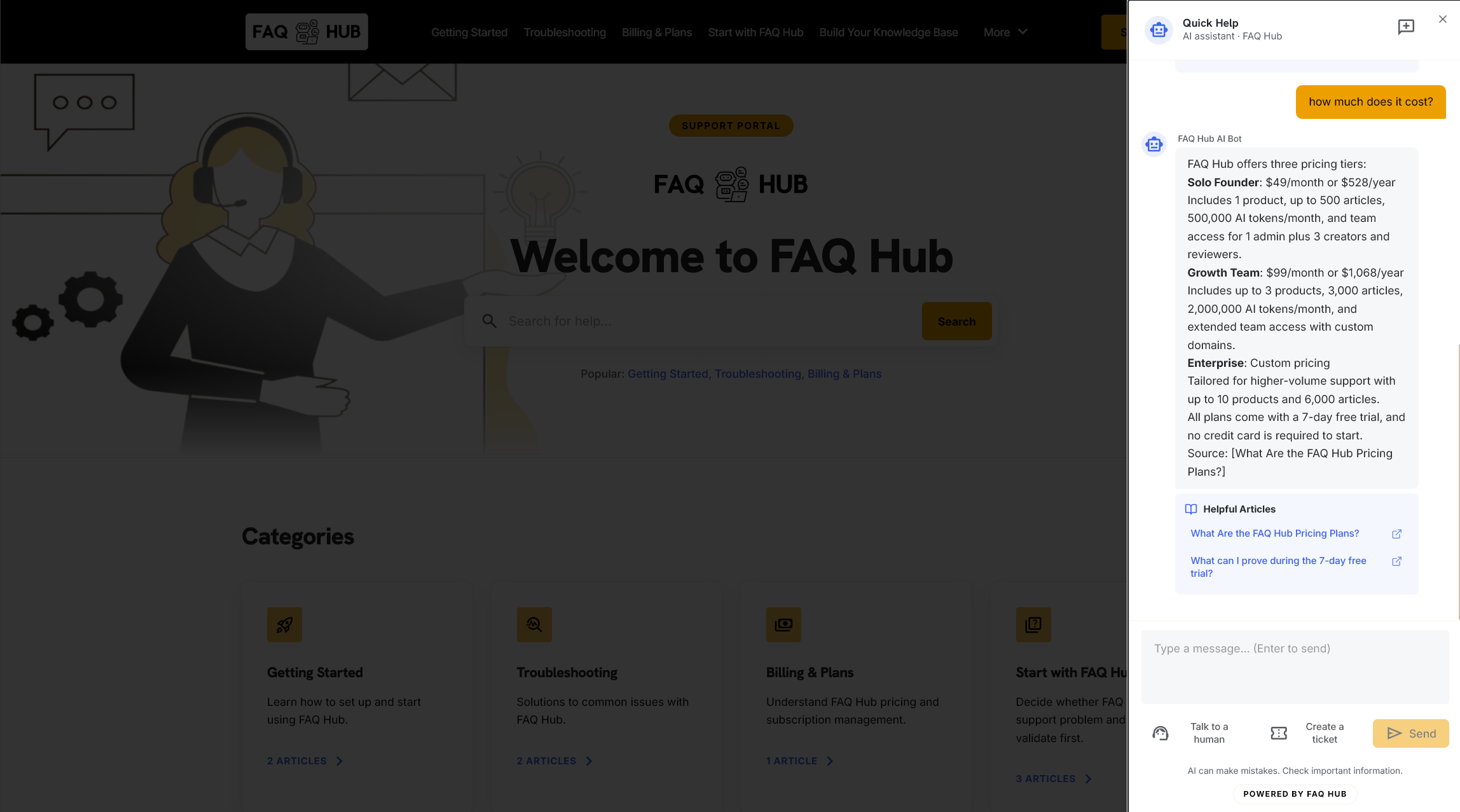
Customers ask in plain words. The assistant answers from the articles you have published and links to them. Your team sees which questions the content could not answer.
- Sources shownEach answer links to the articles it came from.
- Says when it doesn't knowThe customer is offered a ticket or live chat instead of a guess.
- You choose where it appearsA help centre page, a widget inside your product, or keyboard search.
7 daysfree trial, no card
1 setof articles behind the help centre, widget and chat
24/7self-service from your own content
Live example
This help centre runs on FAQ Hub. Ask it anything.
This is FAQ Hub's own help centre, loaded live on this page. It is the same product you would use for yours.
Who builds it
Dane Hollenbach, founder of FAQ Hub.
I build FAQ Hub myself, and early customers work with me directly. I will set up your help centre with you and answer your questions myself. If you want to know whether it suits your team, book 15 minutes and I will show you.
Book a 15-minute callFree tools
Check where your repeat questions come from.
Work out what repeat questions cost you, and whether customers can find answers without emailing you.
Free calculatorSee what repeat questions cost your teamCalculate cost →Free 4-minute checkCan your customers find answers without emailing you?Take the check →Free coverage auditFind missing help content and prioritise what to publishAudit coverage →Free content toolGenerate your first twelve SaaS FAQ questionsBuild FAQ brief →Support economicsWhat support costs your teamRead analysis →
Try it on your own site
See a help centre built from your own website.
Start the free trial, or book 15 minutes and I will walk you through it.
Enterprise
Plan a larger rollout with us.
Tell us about your products, support volume and rollout goals. We will help you plan what to import, which integrations you need and when to launch.
- Up to 10 products and custom domains
- Higher article and AI conversation limits
- Onboarding and rollout planning with you